 正版资源
Loopback 2.5.0 MacOS
资源下载 下载价格 2 积分 VIP免费 一款Mac平台上的可以创建虚拟音频设备的工具,从应用程序和音频的输入的设备创建虚拟音频设备的声音,然后将其发送给音频处理应用程序。 File size: 27 MB Loopback makes it easy to pass audio between a
网盘链接 · 支付成功后自动发货
永久有效 · 链接失效免费补发
每日 9:00-21:00 在线客服
一款Mac平台上的可以创建虚拟音频设备的工具,从应用程序和音频的输入的设备创建虚拟音频设备的声音,然后将其发送给音频处理应用程序。
File size: 27 MB
Loopback makes it easy to pass audio between applications on your Mac. Create virtual audio devices to take the sound from applications and audio input devices, then send it to audio processing applications. Loopback gives you the power of a high-end studio mixing board, right inside your computer!
– Play Audio to All Your Podcast Guests – Combine your mic with audio sources like iTunes or QuickTime Player, then select your Loopback device as your source in Skype. Presto! Your guests all hear both your voice and your audio add-ons.
– Record Gameplay Videos – Making gameplay videos with great audio can often be very difficult. If you’re using a device like Elgato’s Game Capture hardware and you want to record both your microphone and the game’s audio at once, Loopback can assist!
– Combine Hardware Devices – Apps like GarageBand, Logic, and Ableton Live only record from a single audio device at once. Thankfully, they offer recording from many channels. With Loopback, you can combine multiple input devices into one virtual device for easy recording.
– Create Top-Notch Screencasts – Screen recorders, including QuickTime Player, allow you to include your mic’s audio. Some allow recording of system audio instead, but neither option is ideal. Create a virtual device that grabs just the mic and the app’s audio to get exactly the audio you want.
– Route Audio For Broadcasts – Set a simple (pass-thru) device as the output at the end of an Audio Hijack chain, and then as the input source in Nicecast. Now listeners can tune in to a live stream of your podcast as you record it!
Supported Operation Systems
macOS 11.0 or later
Homepage
同类资源
与当前资源同分类推荐 采样包
次时代采样器 – IK Multimedia SampleTank 4 v4.0.8 WiN/OSX-R2R
永久有效 · 网盘发货
 采样包
节奏重复采样器插件 – BeatSkillz Drop-X Win
永久有效 · 网盘发货
 采样包
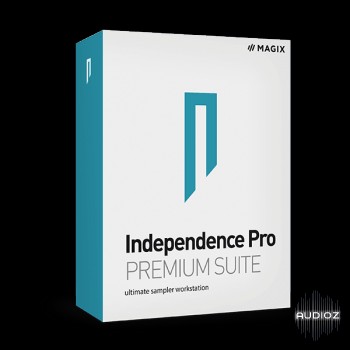
综合音源MAGIX Independence Pro Premium Suite Library v3.0.1
永久有效 · 网盘发货
 采样包
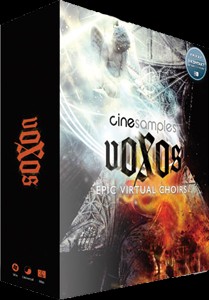
Cinesamples Voxos Epic Virtual Choir史诗人声合唱
永久有效 · 网盘发货
 采样包
大自然采样环境音效素材
永久有效 · 网盘发货