 正版资源
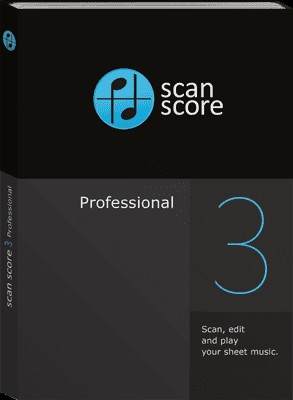
乐谱扫描仪/乐谱扫描识别软件 ScanScore Professional 3.5.0 WIN
ScanScore Professional 3.5.0(WIN)是一款乐谱扫描识别软件,在电子音乐、混音和配乐制作里,它负责把纸质或电子乐谱变成可回放、可编辑、可导出的音符数据。它不是音源,也不是宿主,解决的是“谱面怎么进工程”的前置问题:排练前想听某一声部,编曲时想拿一段现成旋律做素材,或者要把
网盘链接 · 支付成功后自动发货
永久有效 · 链接失效免费补发
每日 9:00-21:00 在线客服
ScanScore Professional 3.5.0(WIN)是一款乐谱扫描识别软件,在电子音乐、混音和配乐制作里,它负责把纸质或电子乐谱变成可回放、可编辑、可导出的音符数据。它不是音源,也不是宿主,解决的是“谱面怎么进工程”的前置问题:排练前想听某一声部,编曲时想拿一段现成旋律做素材,或者要把一份完整乐谱转给不同乐器演奏,都可以先用它把谱子读进来。
扫描、回放与纠错:先把谱面变成能听的音符
ScanScore 支持用智能手机、平板电脑或扫描仪录入乐谱,识别后可以直接播放。对配乐和编曲来说,这个回放功能很实用:在管弦乐团、合奏团或合唱团排练前,可以先听自己的声部或器乐独奏,确认音高和节奏走向。软件自带纠错工具,识别不准的地方可以手动修改音符。需要注意的是,扫描识别很难一次到位,识别结果要逐小节核对,再用纠错工具修正;软件界面语言为 English、German,不习惯英文或德文界面的制作人需要留出适应时间。安装包 73.69 MB,体积不大,适合放在工作机上作为辅助工具。
转调与 MusicXML/MIDI 导出:把谱面送进宿主继续做
ScanScore 可以对整份乐谱转调,也可以只对某一行谱表转调,改调号后让演奏或跟唱更顺手,还能把乐谱适配其他乐器,转调结果可以直接打印。更关键的是导出:通过 MusicXML 或 MIDI 格式,音符可以一键送到 MuseScore、Dorico、Sibelius、FORTE、Capella、Notion、Finale 等软件里继续处理。做电子音乐时,可以把导出的旋律、和声骨架放进 DAW 当编曲起点;做配乐时,也能把乐谱素材转成 MIDI 后重新配器。导出后建议在目标软件里复核时值、连音和力度,再决定是否简化乐谱、新增谱表或调整排版。
Languages: English, German
File Size: 73.69 MB
借助 ScanScore,你可以快速、轻松地扫描、播放以及编辑乐谱。只需下载 ScanScore,使用智能手机、平板电脑或是扫描仪扫描乐谱,软件就可以为你演奏出来。你还可以轻松转调乐谱,将音符导出到几乎任意音乐软件中做进一步编辑。
要是每一份乐谱都自带播放按钮,那该多棒啊!现在,ScanScore 就能帮你实现! ‑ 扫描纸质与电子乐谱 ‑ 回放演奏你的乐谱 ‑ 对音符进行编辑与纠错 ‑ 对音符、单行谱表或是整份乐谱进行转调 ‑ 将乐谱导出,以便在其他软件中继续处理 * * 例如 MuseScore、Dorico、Sibelius、FORTE、Capella、Notion 以及 Finale
扫描乐谱,聆听演奏 ‑ 选用你习惯的扫描方式录入乐谱 ‑ 让软件为你演奏音符 ‑ 在管弦乐团、合奏团或者合唱团排练前,练习你的声部或器乐独奏
扫描乐谱,完成转调 ‑ 直接在 ScanScore 内对完整乐谱,或是单独某行谱表进行转调 ‑ 更改调号,让演奏、跟唱变得更加简单 ‑ 将乐谱适配其他乐器 ‑ 轻点几下鼠标,即可打印转调后的乐谱
扫描乐谱,进行编辑 ‑ 使用 ScanScore 的纠错工具轻松修改乐谱 ‑ 通过 MusicXML 或 MIDI 格式,一键将音符导出至几乎任意音乐应用 ‑ 在其他软件里你还可以简化乐谱、新增谱表、调整排版,以及完成更多操作!
为什么 ScanScore 是适合你的乐谱扫描软件简单易用‑ 扫描乐谱,快速得到结果 ‑ 用户界面通俗易懂 ‑ 几分钟之内就能完成乐谱数字化,过程省心不折腾
强大便捷的纠错与编辑功能‑ 针对扫描识别错误,提供全面又好用的修正功能 ‑ 回放功能帮你轻松定位识别错误
支持 PDF 识别,导入方式灵活多样‑ 既可以扫描纸质乐谱,也可以读取电脑本地的电子文件 ‑ 即便是 IMSLP 乐谱库的 PDF 文件,ScanScore 也可以轻松处理
音符识别能力大幅提升ScanScore 采用最新识别算法,输出效果出色。
以 MusicXML 或 MIDI 格式导出至各类软件通过 MusicXML、MIDI 接口,一键把音符导出到几乎任意音乐程序中。
系统要求
Windows 8 及以上版本
Scan, play and edit sheet music quickly and easily with ScanScore. Simply download ScanScore and use your smartphone, tablet or a scanner to scan your sheet music and play it back to you. And you can just as easily transpose your score, export your notes to almost any music program and edit them further.
Wouldn’t it be fantastic if every piece of sheet music had a play button?
Now with ScanScore, it has!
– Scan printed and digital sheet music
– Play back your score
– Make edits and corrections to the notes
– Transpose notes, staves or the whole score
– Export your score for further processing in another program*
* Like MuseScore, Dorico, Sibelius, FORTE, Capella, Notion or Finale
Scan your sheet music and listen to it.
– Scan the sheet music with your preferred scanning method
– Let it play the notes for you
– Practice your voice or your instrumental solo before an orchestra, ensemble or choir rehearsal
Scan your sheet music and transpose it.
– Transpose the whole score or just single staves directly in ScanScore
– Change the key and make it easier to play or sing along
– Adapt the score to another instrument
– Print your transposed score with just a few clicks
Scan your sheet music and edit it.
– Edit your score easily with ScanScore’s correction tools
– Export your notes (at the click of a button) to almost any music app via MusicXML or MIDI
– There you can simplify, add staves, change the layout and much more!
What makes ScanScore the right music scanning software for you…
User-friendly – scan sheet music and get fast results
– The user interface is very easy to understand
– You can digitize your sheet music within a few minutes, without frustration
Extensive, convenient correction and editing options
– The correction of scanning errors is extensive and convenient
– The playback feature makes finding errors easy
Flexible import possibilities with recognition of PDF files
– You can scan or read in files that you have digitally on your computer
– Even PDF files, for example from the IMSLP library, are no problem for ScanScore.
Significantly improved note recognition
ScanScore works with the newest detection algorithms to produce excellent results.
Export to all programs as MusicXML or MIDI
You can export your notes (at the click of a button) to almost any music program via the MusicXML or MIDI interface.
System Requirements
Windows 8 or higher
Homepage
Home
同类资源
与当前资源同分类推荐 音频工具
World Colors Pipa 中国民乐琵琶音色
永久有效 · 网盘发货
 音频工具
Liikkuva v1.1北欧斯堪的纳维亚弦乐音源 配乐编曲Texture音色库
永久有效 · 网盘发货
 音频工具
键盘音色合集 Arturia Analog Lab V Pro v5.12.6-L O S T [MacOSX]
永久有效 · 网盘发货
 音频工具
预设文件合集 STL Tones Kemper Profiles KiPR Collection v2025.2
永久有效 · 网盘发货
 音频工具
动态范围增强器 Techivation M-Loudener v1.1.0 MOCHA Win
永久有效 · 网盘发货