 正版资源
WizTree 4.3 Enterprise Multilingual
WizTree 4.3 Enterprise Multilingual 是一款磁盘空间分析工具,在音乐制作环境里的用途很直接:把装着采样库、工程文件、导出音频的那块硬盘扫一遍,看清楚究竟是哪些文件和文件夹占掉了最多空间,再决定删什么、挪什么、归档什么。它不参与声音处理,解决的是工程之外那层问题——采
网盘链接 · 支付成功后自动发货
永久有效 · 链接失效免费补发
每日 9:00-21:00 在线客服
WizTree 4.3 Enterprise Multilingual 是一款磁盘空间分析工具,在音乐制作环境里的用途很直接:把装着采样库、工程文件、导出音频的那块硬盘扫一遍,看清楚究竟是哪些文件和文件夹占掉了最多空间,再决定删什么、挪什么、归档什么。它不参与声音处理,解决的是工程之外那层问题——采样盘爆满、工程目录越滚越大、移动硬盘里堆着几年前的分轨却不知道哪一包最占地方。
用树状图锁定吃掉采样盘的大块头
扫描完成后,整个文件系统以可视化树状图呈现,色块的大小对应占用空间的大小,一眼就能看出哪个目录是真正的重量级。对制作人来说,这比逐层翻文件夹有效得多:音色库、循环素材包、多轨分轨、反复导出的 bounce 版本,往往集中在少数几个目录里,色块会把它们直接顶到眼前。配合文件名搜索,可以快速找出散落在各处的重复 wav、忘记清理的 take、以及某个工程残留的 freeze 文件。
速度是它的另一项特点。扫描 NTFS 格式的硬盘时,它直接从磁盘读取主文件表,绕过操作系统,因此整盘扫描不会让人等到失去耐心。这一点对动辄几个 TB 的采样盘尤其重要——空间检查本来是个顺手动作,只有够快才会真的被用起来。
扫描单个工程目录、USB 盘与网络盘的注意点
- 不必每次整盘扫。可以只指定一个工程目录,先看 audio files、rendered、freeze 这些子目录各自占多少,再决定清理顺序。
- 非 NTFS 硬盘、网络驱动器、USB 驱动器和单个目录都在支持范围内,但直接读主文件表带来的加速只对 NTFS 本地盘成立,扫移动硬盘和 NAS 时按普通扫描预期时间即可。
- 支持命令行操作,也支持导入、导出文件和 MFT 数据。可以把某次扫描结果留档,隔几个月再对比,判断空间是被新素材吃掉还是旧工程没清。
- 程序体积只有 9.0 MB,放在工具盘或系统盘随身带着没有负担。
- 删除前务必确认路径。工程文件常以绝对路径引用采样,误删色块里最大的那个文件夹,可能同时废掉好几个还没混完的项目。
适合把它当成开工前和收工后的例行检查:一次扫盘,比凭印象猜哪里占空间可靠得多。

WizTree 是一个高速磁盘空间分析器实用程序。它会扫描您的硬盘,并显示哪些文件和文件夹使用的磁盘空间最多。您的整个硬盘驱动器的文件系统以可视方式显示,因此很容易找到大型文件和文件夹。使用 WizTree 提供的信息快速定位和删除硬盘驱动器的空间。
扫描 NTFS 格式化的硬盘驱动器(大多数现代硬盘驱动器使用此格式)时,它直接从磁盘读取硬盘主文件表 (MFT)。MFT 是 NTFS 文件系统用于跟踪硬盘上所有文件和文件夹的特殊隐藏文件。这种方式扫描文件完全绕过操作系统 ,并带来巨大的性能提升。WizTree 还可以扫描非 NTFS 硬盘驱动器、网络驱动器、USB 驱动器和单个目录。
软件特点
磁盘空间分析扫描极快支持多种硬盘类型可视化树状图显示支持文件名搜索支持命令行导入,导出文件和 MFT 数据
File size: 9.0 MB
WizTree is a simple-to-use application that comes in handy for identifying the files which are taking up the most space on your hard disk, in order to take the appropriate measures for managing clutter.
The setup operation finishes in no time. You are greeted by a comfortable interface, consisting of a standard window with a well-defined structure. All you have to do is select the target drive and scan it with the click of a button.
The list of results displays a tree view with folders containing large files, and you can view their size, total items and folders, date and time of last modification, along with attributes. The queue can be sorted according to any of these parameters.
Alternatively, you can change the viewing mode to check out the top 1000 largest files that exist in your system and how much space of the drive they occupy (in percent). The top part of the main panel shows used, free and all space on the scanned drive.
Apart from dynamic values, it is possible to show their byte, KB, MB and GB counterparts, open a new instance or Command Prompt dialog, copy the path of a selected file or folder, as well as delete items permanently or send them to the Recycle Bin.
WizTree has a good response time and displays accurate information while using moderate RAM and low CPU. It does not burden machine performance or interrupt normal user activity. No errors were shown during Softpedia evaluation, and the tool did not freeze or crash. Unfortunately, it does not provide options for saving the information to file or printing it. Otherwise, WizTree should satisfy all users.
Homepage
同类资源
与当前资源同分类推荐 音频工具
将一次演奏转化为一系列丰富的创意S1gns Of L1fe Stellarizer v0.9.0 BETA [MacOSX]
永久有效 · 网盘发货
 音频工具
电影级自然声效库Rest and Relax Nature Sounds Calm Forest Sounds FLAC-FANTASTiC
永久有效 · 网盘发货
 音频工具
「综合」小体积的电子综合音色BWB Trillion 2
永久有效 · 网盘发货
 音频工具
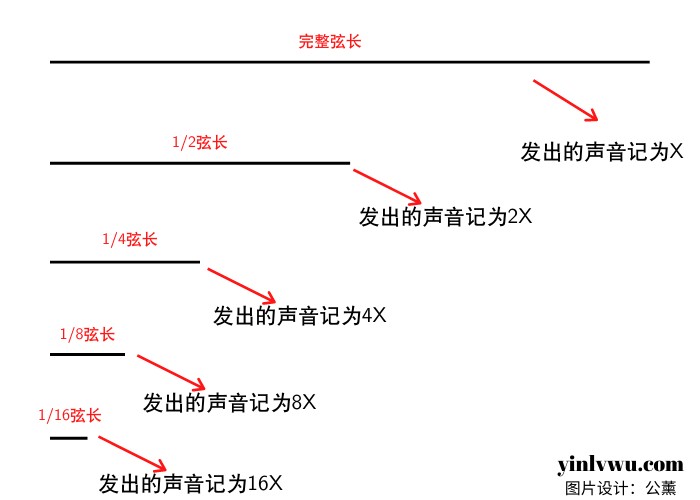
Do Re Mi Fa…这些音是怎么诞生的?十二平均律如何得出?
永久有效 · 网盘发货
 音频工具
色彩饱和器 Plugin Alliance Vertigo VSM-3 v1.10.1 Mac (VSM3 )
永久有效 · 网盘发货