 正版资源
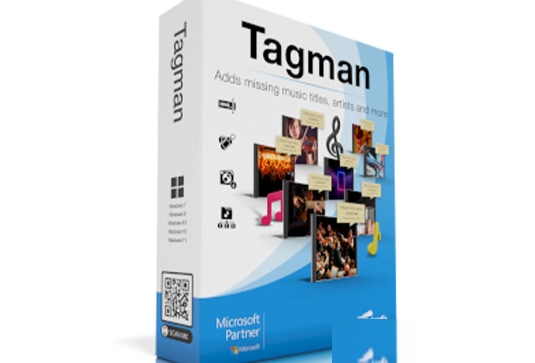
音乐管理软件 Abelssoft Tagman 2025 v11.01 Multilingual Win
Abelssoft Tagman 2025 是一款 Windows 平台上的音乐管理软件,核心用途是整理本地音乐库的元数据:它能自动为 MP3 文件补上缺失的标题、艺术家、专辑等 ID3 标签,也能修正已有信息、补全封面,并支持大批量编辑。对制作人来说,它的价值不在于声音,而在于把多年积累的采样库、
网盘链接 · 支付成功后自动发货
永久有效 · 链接失效免费补发
每日 9:00-21:00 在线客服
Abelssoft Tagman 2025 是一款 Windows 平台上的音乐管理软件,核心用途是整理本地音乐库的元数据:它能自动为 MP3 文件补上缺失的标题、艺术家、专辑等 ID3 标签,也能修正已有信息、补全封面,并支持大批量编辑。对制作人来说,它的价值不在于声音,而在于把多年积累的采样库、参考曲目和成品导出文件从“一堆文件名混乱的音频”变成可检索、可排序的素材库。
ID3 标签补全与封面整理
软件的操作逻辑是“按一个按钮”完成整理:扫描音乐收藏后,自动识别并写入缺失的标签字段,同时处理封面图。这些标签会被常见播放器读取,用于显示正在播放曲目的信息。实际放进工作流时,建议先在一小部分文件上试跑,确认自动匹配的结果符合预期,再对整库执行。自动识别依赖文件本身的信息,命名随意、来源混杂的音频可能匹配不准,尤其是同一首曲目的多个版本、循环片段和自制 edit,容易出现标题被统一成原曲名的情况。
大批量编辑在采样库与参考曲目中的用法
- 把散落在不同硬盘、不同工程文件夹里的成品导出集中整理,统一艺术家、专辑字段,方便按项目回溯。
- 为参考曲目补全信息,之后在播放器里按 BPM 之外的标签维度筛选,减少翻文件夹的时间。
- 批量修正历史遗留的错误标签,比如早年版权信息、拼写不一致的艺术家名。
- 整理采样包时谨慎使用:采样文件名往往自带音色、调性、时长等关键信息,自动改写可能覆盖这些线索,建议先备份或只对副本操作。
软件体积为 29.49 MB,支持 Windows 10/11 及以上系统,附带详细的视频安装教程。它不处理音频本身,不改变音质,也不参与编曲或混音流程,定位是库管理环节的辅助工具。适合曲风跨度大、参考素材多、长期积累工程文件的制作人;如果你的素材量很小,或者习惯用宿主自带的文件浏览器管理采样,它的收益会比较有限。整理前做好备份,是使用这类批量写入工具最实际的一条原则。
一款音乐管理软件,只需按下一个按钮就能自动整理你的音乐库
软件名称:Abelssoft Tagman 2025
软件大小:29.49 MB
软件类型:音乐管理软件
软件版本:Win:v11.01 Multilingual ——— Mac:
支持系统:Win:10/11+以上
加载方式:附带(Win )详细视频安装教程
发货方式:百度网盘下载
一款音乐管理软件,只需按下一个按钮就能自动整理你的音乐库。自动添加缺失的标题,艺术家,专辑等到你的MP3文件的ID3标签。使用TagMan可以自动整理音乐收藏,修正和添加音乐元数据和封面等,还可以进行大批量编辑。

Organize your music library with just a button press. Tagman just needs one click to add titles, artists, albums and more to the id3 tag of your mp3 files. These are read by all common media players to display information about the song you’re listening to.
Organize your music library with just a button press
Tagman just needs one click to add titles, artists, albums and more to the id3 tag of your mp3 files. These are read by all common media players to display information about the song you’re listening to.
Innovative fingerprint-technology
The innovative fingerprint-technology used by TagMan creates a fingerprint of every track in your collection and compares it with a big online database.
Edit multiple files at the same time
TagMan edits a big amount of music files at the same time.
Organize Your Collection
Tagman updates the titel, artist, album and cover information.
Comfortable Fingerprint Technology
Tagman analyzes every song in your collection and generates a fingerprint. This data is compared with the fingerprints stored in a big database in the internet. If Tagman finds a match, the missing information is added to the file.
Automatic Folder Structure
On demand Tagman creates a folder structure sorted according to artist, album title or a combination of both.
Edit Several Tracks at the Same Time
Especially in big libraries you simply do not have the time and energy to take care of every single file on its own. Tagman supports you by editing a huge amount of files at the same time. This way you can accept several changes in the meta information at once.
主页
https://www.abelssoft.de
同类资源
与当前资源同分类推荐 音频工具
【kpop新专辑】TWICE – THIS IS FOR- WORLD TOUR FINALE in SEOUL – LIVE《THIS IS FOR》世界巡演首尔终场
永久有效 · 网盘发货
 音频工具
顶级音效合集4600+种未来科幻武器开枪射击战斗音效素材合集,全部中文汉化Boom Library–Cyber W
永久有效 · 网盘发货
 音频工具
全网收藏播放量第一的助眠歌单,快速入睡告别失眠
永久有效 · 网盘发货
音频工具小洲·AI短片创作课
永久有效 · 网盘发货
音频工具路人贾网络班持续光运用399
永久有效 · 网盘发货