 正版资源
Bitwig – Studio 6.0 beta 9 for WiN
目录 资源目录 8 条 下载 Bitwig Studio 6.0 beta 9 (x64) WIN/macOS/Li NUX [12.2025, Multi, NO RUS] Team Totoro 原出版商:Bitwig 版本:6.0 beta 9 格式:独立版 类别:数字音频工作站 系统要求:W
网盘链接 · 支付成功后自动发货
永久有效 · 链接失效免费补发
每日 9:00-21:00 在线客服

目录
资源目录8 条
- 下载 Bitwig Studio 6.0 beta 9 (x64) WIN/macOS/Li NUX [12.2025, Multi, NO RUS] Team Totoro
- 原出版商:Bitwig
- 版本:6.0 beta 9
- 格式:独立版
- 类别:数字音频工作站
- 系统要求:Windows 10 或更高版本
- 许可证类型:完整版
- 下载大小:1.28 GB
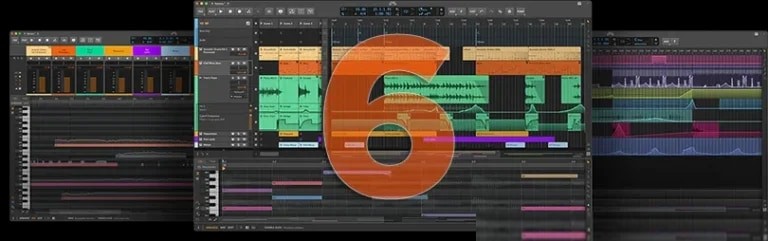
Bitwig 现面向所有拥有有效更新计划的用户发布其软件工作站 6 版本,进行公开测试。该 DAW 版本新增了多项改进、重新设计的图形界面以及其他诸多创新功能。
新产品对自动化系统进行了多项重大改进,并引入了“自动化片段”功能,该功能基于现有的“音频”和“音符片段”程序的功能。现在可以通过两种新方式访问自动化曲线:一种是在“自动化模式”下,该模式会将最后使用的参数的自动化数据叠加到每个轨道上;另一种是在全新的“细节编辑器面板”中。编辑流程本身也得到了显著改进:改进的手势和自动化行为使创建和编辑曲线更加直观。
视觉更新包括:编辑工具现在排列在界面右侧的调色板中,方便访问;可以通过右下角的编辑器设置菜单自定义每个编辑器中的网格外观;右键单击程序窗口顶部可以访问整个项目的一些视觉控件;轨道标题在调整大小时更加动态(如果空间允许,它们可以缩小到很小的尺寸并提供更多控件)。
其他新增功能包括:编曲器中的自动缩放选项,可放大选定的轨道,同时保持其他内容不变;试听工具(允许您直接试听任何轨道或片段);步进输入工具(用于快速直观地一次输入多个音符);以及更多功能。
Bitwig is releasing version 6 of its software workstation for public beta testing to all users with an active update plan. The DAW has acquired a multitude of improvements, a redesigned graphical interface, and many other innovations.
The new product offers a number of significant changes to the automation system, and also introduces the Automation Clips feature, which builds on the existing features of the Audio and Notes Clip programs. Automation curves are now accessible in two new ways: in Automation Mode, which overlays automation data on each track for the last parameter used, and in the new Detail Editor Panel. The editing process itself has been significantly modernized: improved gestures and automation behavior now make creating and editing curves more intuitive.
Among the visual updates: the editing tools are now arranged in a palette on the right side of the interface for easy access; the grid appearance can be customized in each editor via the editor settings menu in the lower right corner; right-clicking at the top of the program window gives access to some visual controls for the entire project; track headers are now more dynamic when resized (they can shrink to a small size and offer more controls if there is space).
Other new features include: an auto-zoom option in the arranger that zooms in on the selected track while leaving everything else in place; an Audition tool (allows you to directly audition any track or clip); a Step Input tool (for quickly and intuitively entering multiple notes at once); and much more.